28 everyday utilities
Data & text, auth & crypto, images, design, web3, and developer helpers in one place.
Developer Tools
The toolbox that lives in your tab
Twenty-eight browser utilities for data, auth, images, design, and web3. Private by default — no uploads for core work, no accounts, always free.
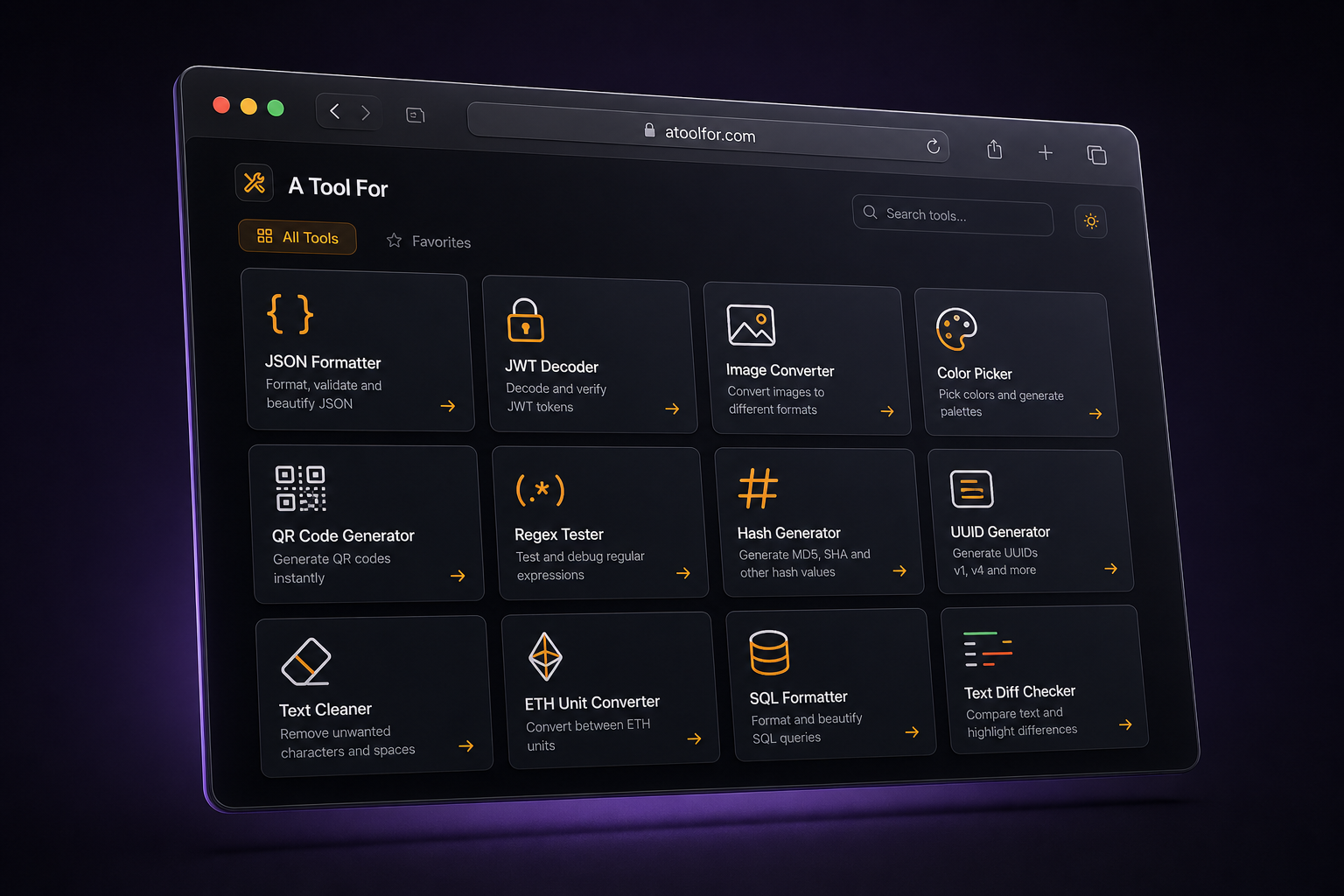
Problem
Developers and designers bounce between scattered sites that upload sensitive data, demand sign-ups, or feel bloated. A Tool For keeps those daily jobs in one fast, local-first tab.
Audience
How it works
Jump in from a searchable sidebar — JSON, JWT, colors, Magic Eraser, and more.
Formatting, conversion, hashing, and image work happen in your browser.
Export or copy the output and keep working — no signup wall in the way.
Core features
Data & text, auth & crypto, images, design, web3, and developer helpers in one place.
Core tools run client-side so sensitive JSON, tokens, and images are not uploaded to finish the job.
Brush away unwanted parts of an image with a local AI model — source files stay in the browser.
Format payloads, inspect tokens, encode ABIs, and convert ETH units without hopping sites.
Color palettes with contrast checks, font pairing, QR codes, and favicon generation.
Searchable sidebar and local drafts so you can switch tools and pick up where you left off.
Privacy
Built so everyday tool work never needs a server round-trip for your content.
Outcomes
28
Tools
Your browser
Runs in
None
Account required
$0
Price
Featured tools
Local inpaint with brush controls and before/after review while keeping source images on-device.
Dual-pane editing and a collapsible tree for fast debugging and payload cleanup.
Harmony generation, WCAG checks, and CSS/Tailwind exports for design handoff.
Token inspection and web3 encode/decode workflows without leaving the toolbox.
Tech stack
Built by Sayonik
If you want a similar product-grade tool experience for your audience, we can design and build it end-to-end.